Top 10 Wireless Lighting Control Systems for 2025

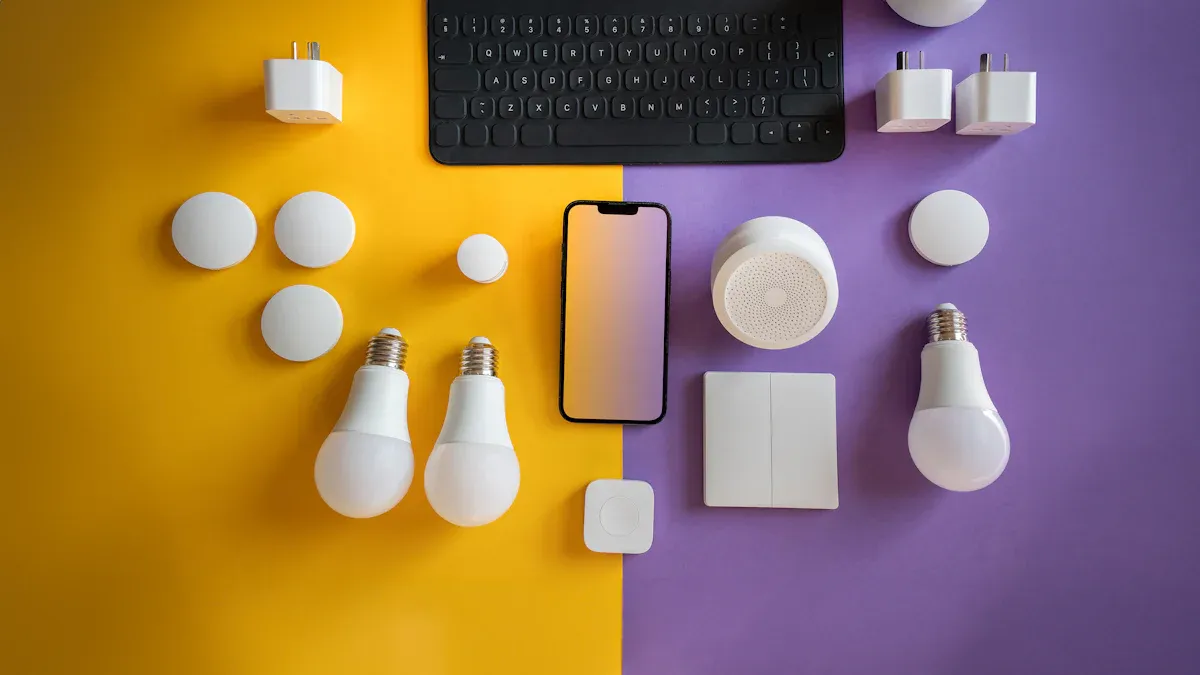
You want the best smart lights for your home, right? Check out this direct list of the top 10 wireless lighting control systems for 2025: Philips Hue, Lutron Caséta, GE Cync, Wiz, Govee, AiDot Linkind, Lutron Diva, Nanoleaf, TP-Link Kasa, and Sengled. A quick summary table helps you compare these wireless products at a glance. Smart lighting keeps getting bigger, with the market set to jump from $18.33 billion in 2024 to $137.24 billion by 2035. Asia Pacific will grab about 35% of the market share in 2025. You can choose a wireless Led Light system that fits your needs, whether you want more control or simple automation. Find more tips on our Home and Product pages or the About Us section.
Key Takeaways
Check out the top 10 wireless lighting control systems for 2025. Some examples are Philips Hue and Lutron Caséta. These systems can help you find the best one for your home.
Think about if the system works with smart home platforms. Alexa and Google Assistant are popular choices. This helps your devices work together easily.
Pick systems that are easy to install. Make sure they have simple apps. This lets you control your lights from anywhere.
Look at features like color-changing and scheduling. These can make your home look nice and save energy.
Remember your budget. Some options like TP-Link Kasa and Wiz cost less. They still give you good quality and value.
Wireless Lighting Control Comparison
Features Overview
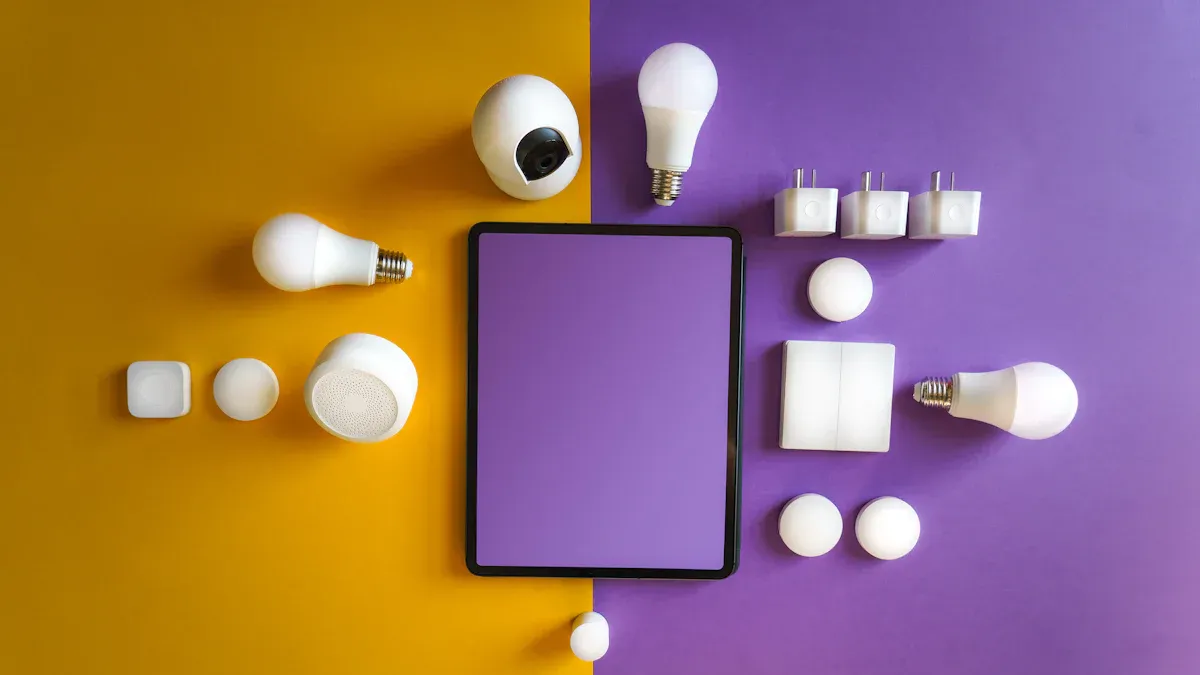
You want smart lights that work well at home. Each system has something special. Some focus on changing colors. Others let you pick settings for each room. If you like rgb effects, there are many choices. Philips Hue is known for color bulbs and custom scenes. Lutron Caséta gives strong wireless control and good automation. Nanoleaf lets you make wall art with color panels. Govee has rgb strips that match your TV or music. Sengled and GE Cync have color bulbs and easy controls. Wiz and TP-Link Kasa are cheaper and work in any room. AiDot Linkind and Lutron Diva add smart dimmers and automation. Many systems have color lights for holidays like Christmas.
Compatibility & Integration
You want your lights to work with your smart home. Here is how the top systems connect:
System | Protocol | Compatibility with Smart Home Platforms |
|---|---|---|
Philips Hue | Zigbee | Supports 50+ devices, extensive smart home platform compatibility |
LIFX | WiFi | No hubs required, fits standard sockets for easy control |
Nanoleaf | Thread/Wi-Fi | Modular panels with independent addressability |
Govee LED Strips | N/A | Camera-based color matching, gradient effects |
Lutron Caséta | Clear Connect RF | Professional-grade reliability, voice assistant integration |
Most systems work with Alexa, Google Assistant, and Apple HomeKit. You can link your lights to other smart devices. Some, like Philips Hue and Nanoleaf, control many color lights at once. If you want lights that move with music, try Govee or Nanoleaf. Lutron Caséta works with pro smart home systems and gives steady wireless control.
Ease of Use & Value
You want lights that are simple to set up and use. Many systems are plug-and-play. Just screw in a bulb or stick on a panel, then use the app. You can set scenes and change colors to fit your mood. For good prices, TP-Link Kasa and Wiz have cheap color bulbs that work with most smart homes. For top features, Philips Hue and Lutron Caséta are best. If you want rgb effects for Christmas, Govee and Nanoleaf are great. No matter your budget, you can find wireless lighting that fits your home and adds color to every room.
Philips Hue Smart Lighting
System Overview
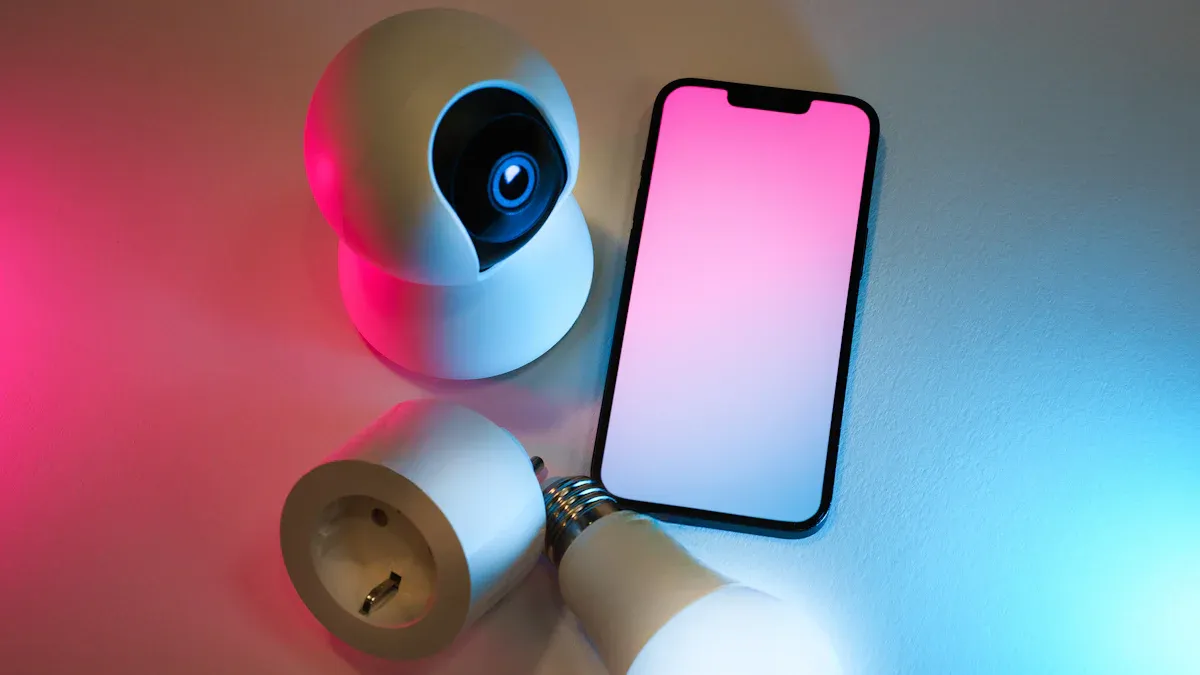
You want a system that makes your home feel modern and easy to control. Philips Hue stands out in the world of smart lighting. This system uses Zigbee technology, so your lights stay connected even if your Wi-Fi goes down. You can control your lights with your phone, voice, or even set them to turn on and off automatically. Philips Hue works with many smart home devices, so you can build a system that fits your needs.
Key Features
Philips Hue gives you a lot of options. You can pick from color-changing smart bulbs, light strips, and even outdoor lights. The system lets you set scenes for movie night or bedtime. You can dim the lights or change colors with just a tap. If you like using your voice, Philips Hue works with Alexa, Google Assistant, and Apple HomeKit. Here’s a quick look at what makes Philips Hue special:
Unique Selling Points | Description |
|---|---|
Advanced Features | Philips Hue offers a range of advanced features such as voice control, automation, and easy dimming. |
Compatibility | It is compatible with various smart home devices, enhancing its usability. |
Zigbee Technology | Utilizes Zigbee for reliable communication, ensuring a secure and low-power operation even when Wi-Fi is down. |
Pros & Cons
You want to know the good and the not-so-good before you buy. Philips Hue gets high marks for quality and choice. You can find many types of lights for every room. The system works well with other smart home products. Some things might not work for everyone. Philips Hue costs more than some other systems. You need a hub to use all the features. If you use Bluetooth, you can only connect up to 10 bulbs, and you cannot group them into different rooms.
Advantages | Disadvantages |
|---|---|
High quality | Higher costs |
Extensive product range | Requirement of a hub for full functionality |
Compatibility with smart home ecosystems | Limited to 10 bulbs with Bluetooth models |
Cannot group Bluetooth lights into different rooms |
Best Use Cases
Philips Hue fits many homes and styles. You might want to set the mood for a party or make your home safer with lights that turn on when you arrive. This system works great if you want to control many rooms or add outdoor lights. If you love smart lighting and want the best features, Philips Hue is a top pick. You get a system that grows with your needs and works with other smart home systems.
Lutron Caséta Wireless
System Overview
You want a lighting system that just works every time. Lutron Caséta Wireless stands out for its reliability and simple setup. This system uses Clear Connect RF technology, which means you get strong wireless signals without Wi-Fi drops. You can control your lights with a remote, a wall switch, or your phone. Many people choose Lutron Caséta because it fits into both new and older homes. You do not need to change your wiring or buy special smart bulbs. The system works with your existing lights.
Key Features
Lutron Caséta Wireless gives you a lot of control. You can set schedules, dim your lights, or turn them on and off from anywhere. The system works with Alexa, Google Assistant, and Apple HomeKit. You can even connect it to other smart home systems for more automation. Here are some features you might like:
Easy installation with no need for new wiring
Reliable Clear Connect RF technology
Works with most light fixtures and switches
Supports voice control and app control
Integrates with many smart home platforms
Tip: You can add sensors to your system. Lights turn on when you walk into a room and turn off when you leave.
Pros & Cons
User feedback shows that Lutron Caséta Wireless earns high marks for easy installation and reliable performance. The system has a Net Promoter Score of 72, which means most users would recommend it to friends. Here’s a quick look at the pros and cons:
Pros | Cons |
|---|---|
Very reliable | Higher upfront cost |
Simple setup | Limited color options |
Needs a hub for remote access | |
High user satisfaction | Fewer decorative options than some |
Best Use Cases
You might want Lutron Caséta Wireless if you value reliability and want a system that works with your current lights. This system fits well in homes where you want to upgrade to smart lighting without changing all your bulbs. It works great for busy families, older homes, or anyone who wants lights to just work every time. If you want to add smart bulbs later, you can still use this system for switches and dimmers. Lutron Caséta Wireless gives you peace of mind and makes daily routines easier.
GE Cync Smart Bulbs
System Overview
You want a system that feels easy and flexible. GE Cync Smart Bulbs give you control over your home’s lighting without making things complicated. You can use these smart bulbs in almost any room. The system works with your Wi-Fi, so you do not need a hub. You can manage everything from your phone or with your voice. Many people like how GE Cync fits into their daily routines. You get a system that grows with your needs and works with other smart home systems.
Key Features
GE Cync Smart Bulbs stand out because they offer features that make your life easier. You can set the mood for movie night or wake up to gentle light in the morning. The system lets you control your lights from anywhere. You can use the Cync App to manage multiple bulbs and scenes. If you want hands-free control, you can use Alexa or Google Assistant. Here’s a quick look at what you get:
Feature | Description |
|---|---|
Customizable Lighting | Create specific moods for different occasions. |
Scheduling Capabilities | Set schedules for your lights for convenience and automation. |
Voice Control | Use Amazon Alexa or Google Assistant for hands-free operation. |
Remote Control | Control your lights from anywhere, even when you are not home. |
Unified App Control | Manage all your bulbs and scenes from the Cync App. |
Tip: Try setting a schedule for your porch light. You will never come home to a dark house again.
Pros & Cons
You want to know what works well and what might be a challenge. GE Cync Smart Bulbs offer easy setup and flexible control. You do not need extra equipment. The system works with many smart home platforms. Some users say the app can be slow at times. You might notice that the bulbs do not support every color option. Here’s a quick summary:
Pros:
Simple installation
No hub required
Works with popular voice assistants
Good for most rooms and fixtures
Cons:
App may lag sometimes
Limited color choices compared to other systems
May need updates for best performance
Best Use Cases
You might want GE Cync Smart Bulbs if you need a system that is easy to set up and use. These bulbs work well in bedrooms, living rooms, and entryways. If you travel often, remote control gives you peace of mind. You can use the system for basic smart lighting or add more bulbs as your needs grow. GE Cync fits busy families, renters, and anyone who wants smart bulbs without extra hassle.
Wiz Tunable Smart Bulbs
System Overview
You want smart bulbs that are easy to use. Wiz Tunable Smart Bulbs let you control your lights without a hub. These bulbs connect right to your Wi-Fi. You can change them with your phone or voice. Local control means your lights work fast and do not need the internet. Wiz works with Matter, Alexa, and Apple Home. You can buy a basic A19 bulb for $13. Wiz has many choices for different rooms and styles.
Here’s how Wiz compares to other systems:
Feature | Wiz Tunable Smart Bulbs | Other Wireless Lighting Systems |
|---|---|---|
Compatibility | Works with Matter, Apple Home | Often needs cloud connection |
Control Method | Local control over Wi-Fi | Needs a hub or bridge |
Price | Starts at $13 | Usually costs more (Philips Hue $50) |
Responsiveness | Fast with local control | May need internet |
Product Range | Wide and affordable | Some brands have fewer choices |
Key Features
Wiz Tunable Smart Bulbs have features that make your home smarter. You can pick how bright or what color each bulb is. SpaceSense uses Wi-Fi to see movement. Lights turn on when you walk in. You do not need extra sensors. If the power goes out, lights only turn on if they were on before. New bulbs work with Matter. You can use the Apple Home app even without internet.
Tip: Use SpaceSense for hallway lights. You will not walk into a dark hallway again!
Pros & Cons
You want to know what is good and what is hard. Wiz Tunable Smart Bulbs let you change brightness and color. Local control makes lights respond fast. Prices are low and setup is easy. Some people say voice assistants do not always get colors right. Apple HomeKit support is limited. SpaceSense works best if bulbs are in good spots.
Pros:
Set brightness and color for each bulb
SpaceSense turns lights on with movement
Local control gives quick response
Cheap and simple to install
Cons:
Voice assistants may miss some colors
Apple users get less HomeKit support
SpaceSense needs bulbs in the right places
Best Use Cases
Wiz Tunable Smart Bulbs are good if you want smart lights that are easy and cheap. These bulbs work well in bedrooms, hallways, and living rooms. You can automate lights without buying sensors. Wiz works with many smart systems. These bulbs are great for renters, families, and anyone who wants simple smart bulbs.
Govee Wi-Fi LED Smart Bulbs
System Overview
You want smart bulbs that make your home look cool and feel easy to control. Govee Wi-Fi LED Smart Bulbs stand out in 2025 because they fit into many systems and give you lots of choices. You can set them up in minutes. Just screw in the bulb, connect to Wi-Fi, and use the app. These bulbs work with Alexa and Google Assistant, so you can change colors or turn lights on with your voice. Govee bulbs use less energy than old bulbs, so you save money and help the planet. You get millions of colors and bright light for every room.
Key Features
Govee Wi-Fi LED Smart Bulbs offer features that make smart lighting fun and simple. You can pick any color you want. The bulbs are bright, but some colors may look softer. You can control them with your phone or voice. The setup is easy, and you do not need a hub. Here’s a table to help you see what makes these bulbs special:
Feature | Description |
|---|---|
Affordability | Cheaper than many other smart bulb options. |
Ease of Setup | Straightforward installation process. |
Color Options | Offers millions of color choices. |
Voice Assistant Compatibility | Works with Amazon Alexa and Google Assistant. |
Brightness | Rated at 800 lumens, though colors may be dim. |
You also get energy savings. Govee bulbs use up to 75% less energy than regular bulbs. They fit into many systems and work with smart home devices.
Feature | Govee Wi-Fi LED Smart Bulbs | Traditional Incandescent Bulbs |
|---|---|---|
Energy Consumption | Up to 75% less energy usage | Higher energy usage |
Smart Home Integration | Compatible with voice assistants | Limited integration options |
Tip: Try setting up a color scene for movie night. You can change the mood with just your voice!
Pros & Cons
You want to know what works well and what might be a problem. Govee Wi-Fi LED Smart Bulbs give you lots of choices and easy control. The price is low, and you save energy. Some colors may look dim, and you need Wi-Fi for full control. Here’s a quick list:
Pros:
Easy to install and use
Works with many systems
Millions of color choices
Saves energy and money
Voice control with Alexa and Google Assistant
Cons:
Some colors are not as bright
Needs Wi-Fi for best features
No hub means fewer advanced options
Best Use Cases
You might want Govee Wi-Fi LED Smart Bulbs if you love changing colors and want simple smart bulbs for your home. These bulbs work well in bedrooms, living rooms, and game rooms. You can use them for parties, holidays, or just relaxing. If you want to save energy and use smart lighting in many systems, Govee is a great choice. You get easy setup, fun colors, and smart control every day.
AiDot Linkind Matter Smart Light
System Overview
You want a smart lighting system that feels easy and works with your favorite devices. AiDot Linkind Matter Smart Light brings you a modern way to control your home’s lights. This system uses Matter, so it connects with Google Home, Alexa, and Apple Home. You can set up the bulbs in just a few minutes. The system lets you control lights from your phone or with your voice. You can even let your family join in, since it supports more than one user at a time.
Key Features
AiDot Linkind Matter Smart Light gives you a lot of ways to make your home feel just right. You can pick from millions of colors or adjust the brightness for any mood. The system lets you create scenes for movie night or bedtime. You can also schedule your lights to turn on or off, which helps save energy when you are not home.
Note: These smart bulbs use LED technology, so they use less energy than old bulbs. You can set schedules to make sure you never waste power.
Here are some top features and benefits:
Feature | Benefit |
|---|---|
Adaptive Lighting | Lights change color temperature to help you feel comfortable all day. |
Cross-Platform Compatibility | Works with Google Home, Alexa, and Apple Home for easy control. |
Multi-Admin Support | Lets everyone in your home control the lights. |
You can also enjoy:
Control over brightness and color
Ability to create dynamic scenes
Scheduling options to save energy
Pros & Cons
You want to know what works well and what might be tricky. Here are the main advantages:
You get flexibility in controlling brightness and color.
You can pick from millions of color options.
The system supports dynamic lighting for different times of the day.
Some users have noticed a few issues:
Sometimes, the bulbs may stop working sooner than expected.
You might see radio interference with other electronics.
The lights can glow faintly when turned off, which may bother you at night.
Colors may not always look perfect and can seem washed out.
Best Use Cases
You should try AiDot Linkind Matter Smart Light if you want a system that works with many smart home platforms. This system fits well in bedrooms, living rooms, and shared spaces. You can set up schedules for when you are away or create fun scenes for parties. If you want a system that lets everyone in your home join in, this is a great pick. You get a flexible, energy-saving way to enjoy smart lighting every day.
Lutron Diva Smart Dimmer & Caséta Hub
System Overview
You want a smart lighting system that feels easy and works with your home’s wiring. The Lutron Diva Smart Dimmer & Caséta Hub gives you control over your lights, even if the switch is off or your Wi-Fi is down. This system stands out because you can use your existing bulbs. You do not need to change your wiring or add a neutral wire. You can install it yourself in about 15 minutes. The Caséta Hub connects your dimmer to other smart home systems, so you get more ways to control your lights.
Key Features
Here are some things that make this system special:
You can control your regular bulbs and keep smart features, even when the switch is off.
The system works with many smart devices, so you can add it to your smart home setup.
You do not need a neutral wire, which makes installation simple for most homes.
The setup takes only a short time and uses your current wiring.
The Caséta Hub lets you connect to voice assistants and other smart systems.
Tip: You can use the physical dimmer slider for quick changes, or use your phone for more control.
Pros & Cons
You want to know what works well and what might be a challenge. Here’s a quick look:
Pros | Cons |
|---|---|
Easy to install | Price |
Works without a neutral wire | Need Caséta smart hub for smart home integrations |
Great robust smart home ecosystem | Not as many features as some other smart switches |
Physical dimmer slider | |
Instant, snappy response |
Best Use Cases
You should try this system if you want to upgrade your lights without changing bulbs or wiring. It fits well in older homes where you do not have a neutral wire. If you want a system that works with many smart home devices, this is a good pick. The Lutron Diva Smart Dimmer & Caséta Hub is great for people who want simple control and a strong, reliable system. You get the benefits of smart lighting with less hassle. This system works well in living rooms, bedrooms, and anywhere you want easy, reliable control.
Nanoleaf Smart Lighting
System Overview
You want a lighting system that feels creative and fun. Nanoleaf Smart Lighting stands out in 2025 because it lets you design your own look. You can use panels, shapes, or LED strips to make patterns on your wall. The new Matter Multicolour LED Strip stretches 16.4 feet and has 300 LEDs. You get a controller with music mode and brightness controls. Nanoleaf works with Apple Home through Matter, so you can connect it to other systems in your house. You do not need to worry about complicated setups. You just stick the panels or strips where you want and plug them in.
Key Features
Nanoleaf brings you features that make your home feel special. You can pick cool or warm whites, or choose any color from the rainbow. The new controller lets you change brightness and switch to music mode. Your lights can dance to your favorite songs. Nanoleaf supports Apple Home, so you can use voice commands or set up scenes with other systems.
New Matter Multicolour LED Strip with 16.4ft length and 300 LEDs
Controller with music mode and brightness adjustments
Full spectrum of colors and tunable whites
Works with Apple Home through Matter support
Tip: Try syncing your lights with music during a party. Your room will come alive!
Pros & Cons
You want to know what works well and what might be tricky. Nanoleaf gives you lots of ways to customize your space. You can use the Nanoleaf app to create lighting effects. The system saves energy, so it is good for eco-friendly homes. Some people say the panels can be pricey. You may need to plan your design before you start.
Pros | Cons |
|---|---|
Tons of customization options | Higher cost |
Syncs with music for cool effects | Setup can take time |
Energy efficient | Panels need careful layout |
Works with many smart home systems |
Best Use Cases
You should try Nanoleaf if you want a system that lets you show your style. These systems work well in bedrooms, game rooms, and living rooms. You can make wall art, set up mood lighting, or create a fun space for parties. If you care about saving energy, Nanoleaf is a smart choice. You get a system that works with other smart home systems and brings color to your life.
TP-Link Kasa Smart Light System
System Overview
You want a system that makes your home smarter without any hassle. TP-Link Kasa Smart Light System gives you that. You can set it up in just a few minutes. The system connects right to your WiFi, so you do not need a hub. You control your lights with your phone or your voice. Kasa works well with Alexa and Google Assistant. You can group lights together and manage them all at once. This system fits well in bedrooms, kitchens, and living rooms.
Tip: If you want to start with smart lighting, Kasa is a great choice for beginners.
Key Features
Kasa brings you features that make life easier. You get a simple app that helps you set up and control your lights. You can track how much energy your lights use. The system lets you set schedules, so your lights turn on or off when you want. You can even set your lights to change based on where you are. If you like to change the mood, Kasa gives you unique lighting effects.
Feature | Description |
|---|---|
User-friendly interfaces | Simplifies the setup and operation of smart home devices. |
Energy monitoring | Allows you to track power consumption and estimate electricity costs. |
Scheduling tasks | Enables you to automate lighting based on your routines. |
Location-based triggers | Adjusts lighting based on your location for added convenience. |
Unique lighting effects | Offers customizable lighting options to enhance the ambiance of the home. |
Pros & Cons
You want to know what works well and what might be a problem. Kasa gives you easy voice control and lets you manage your lights from anywhere. You can set smart schedules and group lights together. The system connects right to WiFi, so you do not need extra equipment. Some things to watch out for: you need a neutral wire to install the switches, and Kasa is made for indoor use only.
Pros | Cons |
|---|---|
Seamless Voice Control Integration | Requires Neutral Wire |
Accessible Remote Management | Limited to Indoor Use |
Intelligent Scheduling | |
Unified Control Through Grouping | |
Hub-Free Direct WiFi Connection |
Best Use Cases
You should try Kasa if you want a system that is easy to use and set up. It works well for renters, families, and anyone who wants to control lights with their phone or voice. You can use it in bedrooms, kitchens, or living rooms. If you want to save energy and keep things simple, Kasa is a smart pick. This system helps you build a smarter home, one light at a time.
Sengled Smart Bulbs
System Overview
You want a system that makes your home smarter without a lot of effort. Sengled Smart Bulbs give you a simple way to upgrade your lighting. These bulbs connect to your Wi-Fi or Zigbee hub, so you can control them with your phone or voice. Sengled fits into many systems, including Alexa, Google Assistant, and Apple Home. You do not need special wiring. Just screw in the bulb and start using smart features right away. Sengled stands out because it works well with the latest IoT technology and the Matter standard. This means you get better compatibility and more confidence that your system will work with other devices.
Key Features
Sengled Smart Bulbs bring you features that make life easier and more fun. You can change the color or brightness to match your mood. Set schedules so your lights turn on or off when you want. Save energy with LED technology. Sengled lets you group bulbs together for easy control in different rooms. You can even set up routines for bedtime or movie night.
Here’s a quick look at what makes Sengled a competitive choice in 2025:
Feature | Benefit |
|---|---|
IoT and Matter Integration | Works with many systems and devices |
Uses less power and saves money | |
Customizable Lighting | Lets you pick colors and brightness for any moment |
Easy Grouping | Controls multiple bulbs in one system |
Voice and App Control | Simple to use with your favorite assistant |
Tip: Try setting a morning routine. Your lights can wake you up gently with soft colors.
Pros & Cons
You want to know what works well and what might be a problem. Sengled Smart Bulbs offer great features, but some users have noticed issues.
Integration with IoT systems gives you more ways to control your lights.
Energy savings help lower your bills.
Customizable settings let you create the perfect mood.
However, some users report:
Bulbs may disconnect after power outages.
Sometimes, bulbs do not turn on after power returns. You might need to reset them.
Reliability can be lower than other systems like Kasa or Hue.
Best Use Cases
Sengled Smart Bulbs work well if you want to start with smart lighting or add to your current systems. These bulbs fit in bedrooms, living rooms, and even home offices. If you want to save energy and enjoy easy control, Sengled is a good pick. You can use them in homes with different systems, so you do not have to worry about compatibility. Sengled makes it easy to enjoy smart features without a big investment.
Choosing the Best Smart Light System
User Needs & Preferences
You want a smart light system that matches your lifestyle. Start by thinking about the rooms in your home. Bathrooms need bright task lighting for grooming. Bedrooms feel better with softer, relaxing light. Kitchens work best with bright lights for cooking. Dining areas look great with gentle lighting for a cozy mood. If you want a smart light for your bedroom, look for options with adjustable brightness and color. Some systems offer features like voice commands, motion activation, and scheduling. You can pick a smart light for your TV to create cool effects during movies or games. If you want the best budget smart light, check for simple controls and easy setup.
Consider the types of smart lighting solutions available.
Look for features that fit your daily routine.
Tip: Try scheduling your smart light for your bedroom to wake you up with soft light.
Compatibility & Budget
You want your smart light system to work with your smart home systems. Check if the system supports Wi-Fi, Zigbee, or Z-Wave. Make sure it works with your central hub or voice assistant, like smart light for Alexa or smart light for Google Home. If you want the best smart light for Amazon Alexa or the best smart light for Google Home, read the product specs and instructions. Some systems cost more because they offer advanced features. If you want the best budget smart light, look for simple bulbs that connect directly to Wi-Fi.
Component | Requirement |
|---|---|
State Reporting Support | Real-time status for accurate voice commands |
Cloud Infrastructure | Strong cloud for multiple voice assistants |
Protocol Selection | Fast and reliable connection |
Smart Home Integration
You want your smart light system to work with other smart home systems. Compatibility boosts convenience and efficiency. Your lights can work with thermostats and security systems. You get better energy savings and security. If you want a smart light for your TV, pick systems that sync with entertainment devices. Smart lighting works best when it fits into your whole smart home setup. If you wonder how to choose a smart light, think about how it connects with your other devices. The best smart light for Google Home or Alexa will make your routines easier.
Compatibility with smart home systems ensures smooth integration.
Lights work together with other devices for better control.
You get more comfort, security, and energy savings.
Note: Always check if your smart light system supports your favorite smart home systems before you buy.
Smart Lighting FAQs
Installation & Setup
You may ask how to start with smart lighting. Most systems have printed guides and online videos. These help you install the lights. You wire smart dimmers and switches like normal ones. Many setups need a neutral wire. If you want more help, some companies offer remote startup for a fee. Some even send engineers to your home. Here is a table with answers to common installation questions:
Question | Answer |
|---|---|
Do you offer remote startup assistance? | Yes, remote and on-site help is available. |
What size space does one kit cover? | It depends on fixtures, wattage, and space size. |
Should I use wireless or wired system? | Wireless may struggle with brick or metal buildings. |
How far can a wireless switch be from the power pack? | Keep it within 100 feet for best results. |
How many lights can I control? | Up to 1,200 watts at 120V or 2,770 watts at 277V. |
PIR vs. dual tech sensor? | PIR detects motion and heat; dual tech adds ultrasonic for better coverage. |
Occupancy vs. vacancy sensors? | Occupancy sensors turn lights on/off automatically; vacancy sensors need manual activation. |
Tip: Check your building materials before picking wireless smart lighting. Brick and metal can block signals.
Integration with Smart Home Platforms
You want your smart lights to work with your favorite platforms. Most systems connect with Alexa, Google Assistant, or Apple Home. You can use your voice or phone to control lights. Some systems let you check lights from far away. You can move lights for better coverage. You can change color or brightness for different needs. You get more comfort when your smart lights work with other devices.
Use remote control to turn off lights when you leave.
Move lights for better coverage.
Change light color or brightness for different activities.
Benefits & Limitations
Smart lighting gives you many benefits. You get convenience, save energy, and make lights fit your style. You can control lights from anywhere. You save money with low power use. You can set up scenes for your mood. Here is a table with the main benefits:
Benefit | Description |
|---|---|
Convenience | Control lights remotely and automate tasks. |
Sustainability | Save money with low power use and energy tracking. |
Personalization | Customize lighting for your preferences. |
But there are some limits. Smart lighting can cost more at first. Sometimes, products from different brands do not work together. Security problems may affect your privacy. Here is a table with the main limits:
Limitation | Description |
|---|---|
High Initial Costs | Upfront investment is higher than regular lighting. |
Interoperability Issues | Compatibility problems between products. |
Security Concerns | Risks to privacy and safety. |
Note: Smart lighting keeps getting better, but always check compatibility and security before you install.
You have many choices when picking the best smart lights for your home. The top systems for 2025 offer great performance, easy setup, and energy-efficient lighting. These systems can cut your energy use by up to 38%. You get comfort by adjusting brightness and color. Beginners should look for affordable smart lights with Bluetooth Low Energy. Advanced users may prefer Zigbee systems for bigger spaces. If you want the best smart bulbs, Wi-Fi systems work well but may slow down your network.
User Type | Recommended Systems | Why Choose Them? |
|---|---|---|
Beginners | Bluetooth, affordable smart lights | Simple setup, good for small rooms |
Advanced Users | Zigbee, best smart lights | Mesh networking, strong control |
Value Seekers | Wi-Fi, best smart bulbs | Uses home network, easy to expand |
Check your space size before you buy.
Think about how systems fit with your smart home.
Look for energy-efficient lighting to save money.
Next, read product reviews or talk to smart home experts. You will find the best smart lights for your needs.
FAQ
How do you set up a wireless lighting control system?
You just screw in the smart bulb or install the switch. Download the app on your phone. Follow the step-by-step guide. Most systems walk you through setup in minutes. You do not need special tools.
Can you control smart lights when you are not home?
Yes! You can use your phone to turn lights on or off from anywhere. Most apps let you check the status, set schedules, or change colors even if you are away.
What happens if your Wi-Fi goes down?
Some systems, like Philips Hue or Lutron Caséta, keep working because they use Zigbee or Clear Connect RF. You can still use physical switches. App control may pause until Wi-Fi returns.
Do smart lights use a lot of electricity?
No, smart bulbs use LED technology. They use much less energy than regular bulbs. You save money on your electric bill. Some apps even show you how much energy you use.
Can you use smart lights with voice assistants?
Absolutely! Most smart lights work with Alexa, Google Assistant, or Siri. You just say, “Turn on the lights,” and they respond. You can also change colors or dim the lights with your voice.
See Also
Exploring Lighting Control Panels: Key Features And Wireless Integration
LED Track Lighting: System Design, Installation, And Applications
Top 10 Considerations For Installing LED Street Lighting Systems
Integrating Light Commercial Electrical Systems For Best Performance
Energy Efficient LED Indoor Lighting: Types And Modern Applications